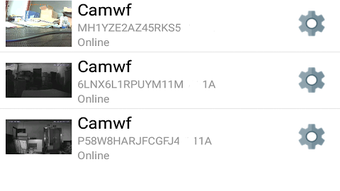

Download Camwf APK – Live Video Streaming, Remote Surveillance, Android App
Overview
Camwf is a free Android application developed by Yu hao, designed to enable real-time live video streaming from smartphones and tablets. The software allows users to monitor their surroundings remotely, making it suitable for home, office, or personal security purposes. It supports live video viewing from any location, providing a convenient way to keep an eye on loved ones, pets, or property without additional hardware costs.
The app is intended for consumers and individuals seeking a low-cost monitoring solution. It is particularly useful for parents checking on infants, caregivers monitoring elderly relatives, or business owners observing office spaces. Its core function centers around remote access to live video feeds, eliminating the need for third-party plugins or complex installations.
Camwf operates directly from the device’s camera and stored media, enabling users to stream live footage or view recorded videos and photos. The developer did not provide additional details about the app’s background or development history. Real-world usage scenarios include personal surveillance, remote pet monitoring, and situational awareness during travel or work.
Key Features & Capabilities
- Live Video Streaming – Access real-time video feeds from your smartphone or tablet, allowing continuous monitoring from any location with an internet connection.
- Remote Viewing Support – View live streams from anywhere in the world, making it ideal for users who are away from home or office.
- Local Media Access – Browse and view stored videos and photos directly from the device’s internal storage or SD card.
- User-Friendly Interface – Designed with simplicity in mind, enabling quick setup and intuitive navigation for users of all technical levels.
- Zero Installation Requirements – No additional plugins, drivers, or software downloads are needed to view live streams.
These features support practical applications such as home security, pet monitoring, baby watching, and office surveillance. The ability to stream live video without extra tools reduces setup complexity. Users can quickly start monitoring by enabling the camera feed and sharing access via the app’s built-in connection system. The app’s lightweight design ensures it does not burden the device with high processing demands.
User Interface, Workflow & Performance
Camwf features a clean and minimal interface, prioritizing ease of use. Navigation is straightforward, with main functions accessible from the home screen. The layout allows users to switch between live streaming and local media playback with minimal taps.
Workflow efficiency is enhanced by the app’s direct access to the device’s camera and storage. Users can initiate streaming or playback with a single action, reducing setup time. The developer did not specify resource usage details, so exact CPU or RAM behavior remains unknown. Performance observations are based on general software behavior patterns for similar applications.
Stability and long-term reliability were not verified through official benchmarks or user reports. The app’s lightweight nature suggests it may run smoothly on mid-range Android devices, but this is not confirmed. No information was provided about background operation, battery impact, or data consumption during streaming.
Compatibility & System Requirements
Camwf is designed for Android devices and is compatible with most smartphones and tablets running the Android operating system. The exact version requirements were not specified by the developer. Installation size is described as lightweight, indicating minimal storage usage.
Hardware requirements were not listed. The app does not appear to require special sensors or peripherals, relying instead on the device’s built-in camera and internet connectivity. The developer did not provide information about supported screen sizes, processor types, or memory thresholds.
Compatibility information was partially provided. Users are advised to ensure their device meets basic Android functionality standards. For optimal performance, devices with stable internet connections and recent Android versions are recommended, though no official requirements were stated.
Pros and Cons
Pros
- Completely free to download and use
- Simple, intuitive interface suitable for all users
- Supports remote live video viewing from any location
- No additional plugins or software required
- Access to stored videos and photos on the device
Cons
- No official system requirements provided
- Performance and resource usage details not disclosed
- Compatibility with specific Android versions not confirmed
- Limited information on data usage and battery impact
- No official support channels or update history available
FAQ Section
Is Camwf available for iOS devices?
Camwf is currently designed for Android devices only. No information is available about iOS compatibility or future plans.
Do I need to create an account to use Camwf?
The app does not require registration or account creation. Users can access live streaming and local media directly from the device.
Is Camwf safe to use on my Android device?
Camwf is a free app developed by Yu hao. While it does not require permissions beyond camera and storage access, users should exercise caution when granting app permissions and ensure they download from trusted sources.
Can I use Camwf offline?
Camwf requires an active internet connection to stream live video. However, it allows offline access to videos and photos stored on the device.
How often does Camwf receive updates?
Update frequency and release history were not disclosed by the developer. Users are advised to check the source regularly for new versions.
Final Thoughts + CTA
Camwf presents a straightforward, cost-free solution for remote video monitoring on Android devices. Its core strengths lie in simplicity, direct access to live feeds, and the absence of installation barriers. While detailed technical specifications and performance data are missing, the app’s lightweight design and user-friendly layout make it accessible for everyday users.
It is ideal for individuals seeking a no-frills way to monitor homes, offices, or loved ones without investing in expensive surveillance systems. The ability to view live streams and stored media without extra tools adds practical value.
Despite the lack of transparency around system requirements and updates, Camwf remains a viable option for basic remote viewing needs. For users prioritizing affordability and ease of use, it offers a compelling entry point into personal surveillance.
Download Camwf now






.png)
